July 13, 2026
Best Sports Camera for Youth Basketball: AI Cameras, Phone Setups, and Game Film Tips.
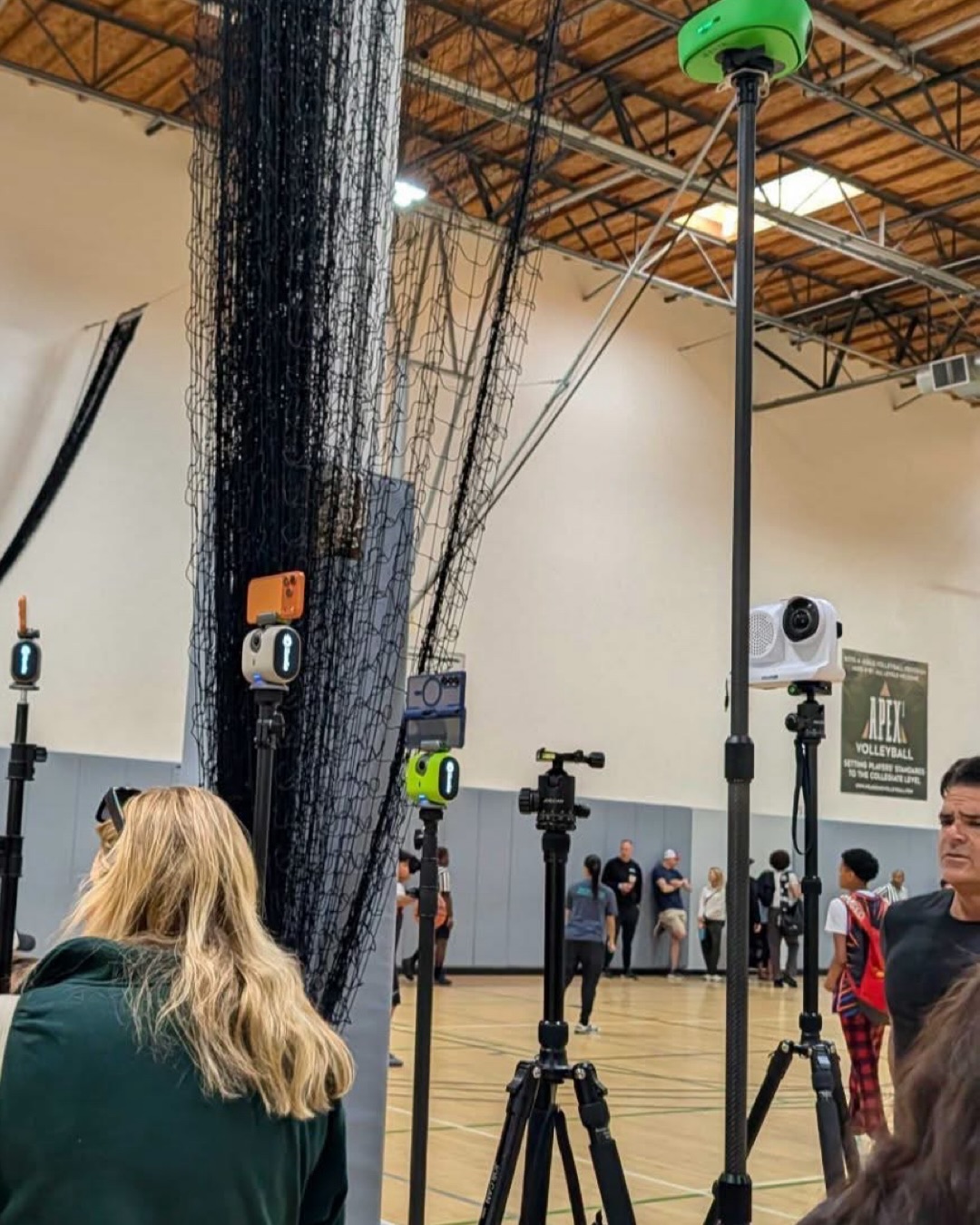
From AI cameras to simple tripod setups, here’s how parents and coaches are recording better game film—and how to turn that footage into stats, highlights, and player development.
Any parent or coach in the travel basketball world knows the routine. The weekend hits, the gym is packed, and someone suddenly needs to record the game.
Whether the goal is college exposure, coaching review, player development, or just saving the best moments from the season, game footage has become a must-have. The hard part is figuring out what to film with.
Ask around in youth sports communities and you’ll usually hear two different philosophies. Some families want a hands-free AI camera that follows the action automatically. Others prefer a simple, high-quality manual setup because they want full control over the shot.
Both approaches can work. The best choice depends on your budget, how much effort you want to put into filming, and what you plan to do with the footage afterward.
Option 1: AI Sports Cameras and Gimbals
For parents who want to watch the game instead of operating a camera, automated sports cameras and AI-powered phone mounts are appealing. These systems are designed to follow the action, keep the court in frame, and reduce the need for a dedicated camera operator.
Premium AI Camera Systems
Cameras like Veo Cam 3 and Pixellot Air NXT are built for teams and clubs that want a more complete recording and streaming setup. These systems can capture wide views of the game, use AI to follow the action, and support livestreaming or cloud-based review depending on the plan.
The tradeoff is cost. Premium AI camera systems often require both hardware and an ongoing subscription, so they make the most sense for teams, programs, or families who expect to record a lot of games over the course of a season.
Smartphone-Based AI Setups
A more affordable option is a phone-based tracking system such as XbotGo Chameleon or BallerCam. These products use your phone as the camera and add software, a mount, lens, or motorized tracking system to help follow the play.
These setups are popular because they are portable, easier to justify financially, and often simpler to bring into a crowded tournament gym. XbotGo, for example, promotes 4K recording and no subscription for its core tracking features. BallerCam is designed around newer iPhones and uses an ultra-wide view with AI tracking to follow the game.
The main thing to remember is that automated tracking is not magic. In a crowded gym, with players, referees, spectators, and multiple courts nearby, any AI camera can occasionally make a decision you would not have made manually. For many families, that tradeoff is worth it. For others, it is a reason to keep filming by hand.
Option 2: A Phone or Camera on a Tripod
Plenty of experienced basketball parents still prefer the manual route: a good phone or camera on a sturdy tripod.
The simplest version is a recent iPhone or Samsung Galaxy mounted on a fluid-head tripod. Set it up high enough to see the court, keep the camera wide, and pan only when needed. This setup can produce clean, reliable footage without depending on tracking software.
For families or videographers who want even higher quality, a mirrorless camera such as a Sony FX30 or a compact professional camcorder such as a Panasonic X1500 can produce excellent 4K game footage. This is usually more equipment than the average parent needs, but it can be a great option for teams creating recruiting clips, social content, or polished highlight reels.
The biggest advantage of manual filming is control. You decide what stays in frame. You can keep the whole court visible. You avoid AI tracking mistakes. And if you record in high-quality 4K, you have more flexibility later to crop, zoom, and create vertical clips for social media.
The downside is obvious: someone has to film. That person is no longer fully watching the game as a fan.
So Which Camera Setup Is Best?
Setup Best For Main Advantage Main Tradeoff Veo / Pixellot-style AI camera Teams, clubs, frequent recording Hands-free capture and streaming Higher cost and subscription plans Phone-based AI system Parents who want a portable setup Lower cost and easier setup Tracking can vary by gym and game conditions Phone on tripod Most parents and coaches Simple, reliable, high-quality footage Someone needs to operate it Mirrorless camera or pro camcorder Serious highlight production Best image quality and flexibility More expensive and more complexFor most families, the practical answer is simple: use the best setup you can consistently bring to every game. A perfect camera that stays at home is less useful than a phone-on-tripod setup that captures every tournament.
The Real Bottleneck: What Happens After the Game?
No matter how you record—Veo, Pixellot, XbotGo, BallerCam, iPhone, Samsung, Sony, or Panasonic—you eventually run into the same problem:
Raw game footage is still just raw footage.
A two-hour video file sitting on your phone does not automatically help a player improve. A coach still has to find the useful possessions. A parent still has to cut the highlights. And a scout is unlikely to watch an entire unedited game just to find a few strong plays.
That is where HoopIQ comes in.
Turn Any Basketball Footage Into Stats, Highlights, and Feedback
HoopIQ is built to help players, parents, and coaches get more value out of the footage they already have. Upload your basketball game film, and HoopIQ uses AI to turn that video into clear, useful takeaways.
- Automated game stats: Generate box scores, player stats, and performance breakdowns without manually tracking every possession.
- Shareable highlights: Find key moments faster and create clips without spending hours in editing software.
- Player development feedback: Help athletes understand what they did well, where they can improve, and what to focus on before the next game.
During HoopIQ’s public beta, core analysis features are available for free, making it easy to try with footage from your next game.
The Bottom Line
If you have the budget and want a hands-free experience, an AI camera system like Veo, Pixellot, XbotGo, or BallerCam may be worth exploring. If you care most about image quality and control, a phone or camera on a sturdy tripod can still be one of the best options available.
But the camera is only the first step. The real value comes from what you do with the footage after the final buzzer.
HoopIQ helps turn ordinary game film into stats, highlights, and coaching insights—so every recording becomes more than a video. It becomes a tool for development, exposure, and improvement.